VS Code vs Zed: The Ultimate Comparison of Modern Code Editors for AI-Driven Development
Mon Dec 01 2025
Introduction: The Evolution of Developer Tooling
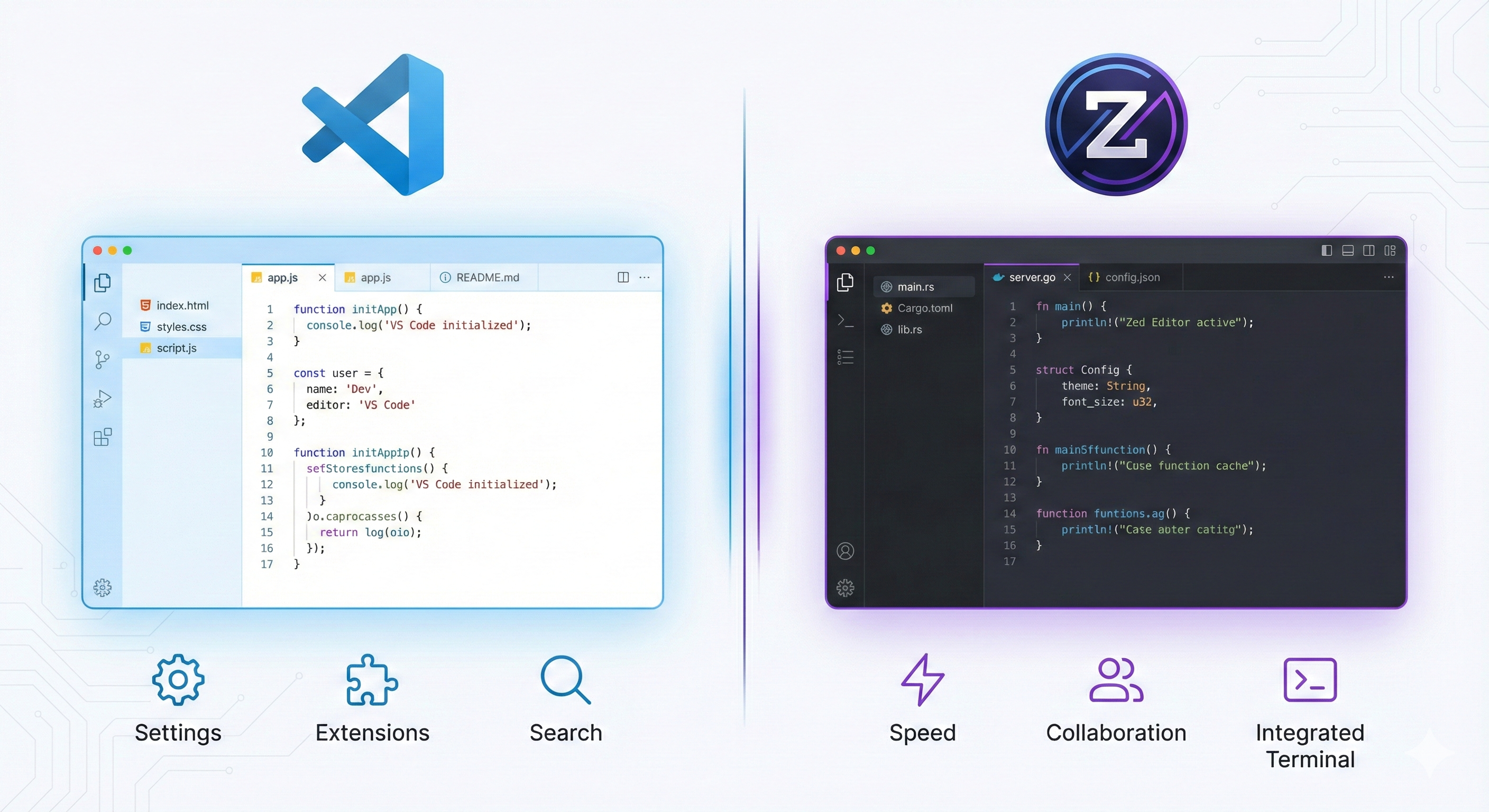
The landscape of code editors has undergone a dramatic transformation over the past decade. What once was dominated by heavyweight IDEs like Visual Studio and Eclipse has shifted toward lightweight, highly extensible alternatives that prioritize developer experience and workflow efficiency. Today's programming ecosystem demands more than just syntax highlighting and code completion—developers need intelligent assistance, seamless collaboration, rapid feedback loops, and artificial intelligence deeply integrated into their development environment.
Visual Studio Code revolutionized this space in 2015 when Microsoft released an editor that struck an unprecedented balance between simplicity and power. For nearly a decade, VS Code has remained the de facto standard for millions of developers working across web development, backend engineering, machine learning, data science, and DevOps. Its dominance seemed unchallenged until recently.
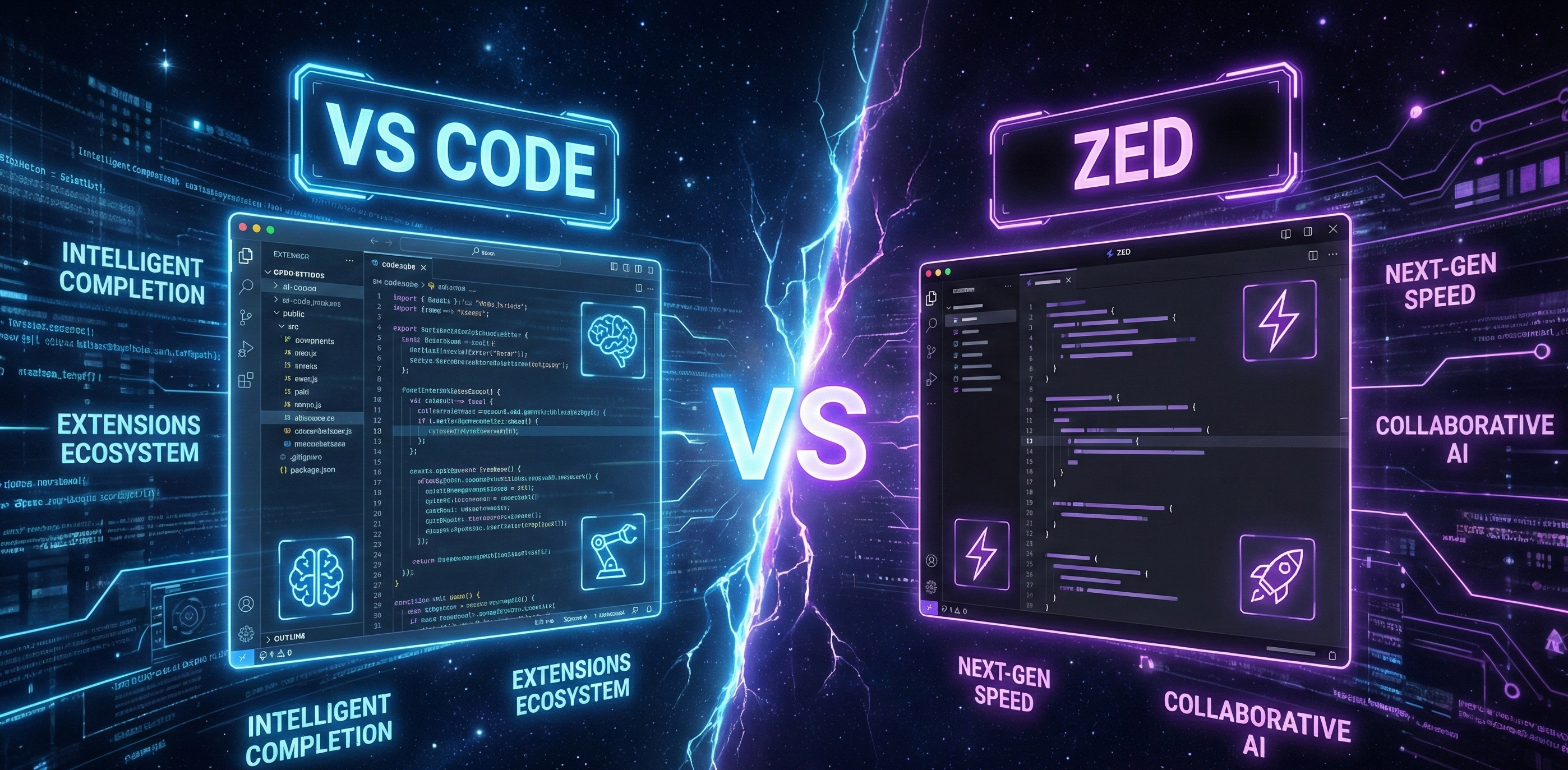
Enter Zed—a next-generation code editor built from the ground up with modern technologies and developer priorities in mind. Rather than adopting the Electron framework like VS Code, Zed was engineered with Rust and a custom GPU-accelerated rendering engine, promising developers a fundamentally different experience: blazing-fast performance, native-feeling responsiveness, and artificial intelligence baked directly into the core of the editor.
The emergence of Zed raises an important question for the developer community: Is VS Code's era of dominance ending? Should you consider switching? Or does Visual Studio Code remain the superior choice for your specific programming needs?
This comprehensive analysis explores the technical nuances, performance characteristics, AI capabilities, and real-world implications of both editors. Whether you're developing machine learning models, building cloud infrastructure, crafting full-stack applications, or working in data science, this comparison will help you make an informed decision about which modern code editor aligns best with your development philosophy and workflow.
System Requirements: Getting Started with Both Editors
Visual Studio Code System Requirements
- Windows
- Operating System: Windows 10 or Windows 11
- Processor: 1.6 GHz or faster dual-core processor
- RAM: 4 GB minimum (8 GB recommended for heavy workloads)
- Storage: Approximately 200 MB for initial installation, plus additional space for extensions
- Architecture: x64 or ARM64 support
- Additional: GPU acceleration not required but beneficial with modern graphics hardware
- macOS
- Operating System: macOS 10.15 (Catalina) or later
- Processor: Intel Core or Apple Silicon (M1/M2/M3 optimized)
- RAM: 4 GB minimum (8 GB recommended)
- Storage: 200 MB installation footprint
- Architecture: Universal binary support for both Intel and ARM64
- Linux
- Distribution Support: Ubuntu, Debian, Fedora, RedHat, CentOS, and other glibc-based distributions
- Processor: 64-bit architecture required
- RAM: 4 GB minimum
- Dependencies: glibc version 2.15 or higher
- Storage: 200 MB base installation
VS Code's relatively modest system requirements have contributed significantly to its widespread adoption. The editor scales gracefully from older machines to cutting-edge hardware, though performance does degrade considerably when dozens of extensions are installed simultaneously.
Zed System Requirements
- Windows
- Operating System: Windows 10 Build 19041 or Windows 11
- Processor: Dual-core processor (Intel or AMD)
- RAM: 4 GB minimum (performance improves significantly with 8 GB+)
- Storage: 200 MB installation
- Architecture: x64 and ARM64 native support
- GPU: Any modern GPU recommended (Nvidia, AMD, Intel Arc)
- macOS
- Operating System: macOS 12 (Monterey) or later
- Processor: Apple Silicon or Intel (both optimized)
- RAM: 4 GB minimum
- Storage: 200 MB
- GPU: Integrated or dedicated graphics leveraged for rendering
- Linux
- Distribution Support: Ubuntu 20.04+, Debian, Fedora, and other distributions with glibc 2.31 or higher
- Processor: 64-bit required
- RAM: 4 GB minimum
- Storage: 200 MB
- GPU: Leveraged for smooth rendering
While the raw specifications appear similar to VS Code, Zed's efficient native architecture means it runs substantially faster and consumes less memory even on identical hardware. The GPU acceleration requirements, though optional, significantly enhance the editor's visual responsiveness and typing smoothness.
User Interface, Performance, and Developer Workflow Comparison
Design Philosophy and User Experience
- Visual Studio Code:- embraces a "feature-rich, extensibility-first" design philosophy. The interface prioritizes flexibility, allowing developers to customize nearly every aspect of their environment. This comes with a trade-off: the default UI can feel somewhat dense, and achieving an optimally configured setup often requires significant tweaking. VS Code's interface resembles traditional IDEs with panels, sidebars, command palettes, and activity bars that collectively provide comprehensive functionality.
- Zed :- takes an opposite approach with "minimalism and focus-first" design. The interface is deliberately streamlined, emphasizing distraction-free coding while maintaining powerful features within reach. The UI feels more contemporary and native, resembling modern macOS applications rather than web-based tools wrapped in browsers. Typography is crisp, animations are fluid, and the overall aesthetic conveys a premium, polished experience.
Performance Metrics: Real-World Comparisons
Startup Time
- Visual Studio Code: Typically 2-4 seconds on modern hardware, extending to 5-8 seconds with numerous extensions loaded
- Zed: Consistently 0.5-1 second across comparable hardware configurations
The startup difference becomes meaningful when developers frequently close and reopen editors or work across multiple projects throughout the day.
Memory Consumption (RAM Usage)
- Visual Studio Code baseline: 300-500 MB
- Visual Studio Code with moderate extensions (20+ plugins): 800 MB - 1.2 GB
- Visual Studio Code with heavy extension load (40+ plugins): 1.5-2 GB
- Zed baseline: 150-250 MB
- Zed with typical workspace: 300-500 MB
- Zed with large monorepos: Rarely exceeds 600 MB
This difference becomes critical when working on machines with limited resources or managing multiple editor instances simultaneously.
Typing Latency and Input Responsiveness
Visual Studio Code exhibits occasional micro-stutters during heavy code completion or when multiple extensions process code simultaneously. The latency typically measures 15-25 milliseconds between keystroke and character appearance on screen.
Zed delivers near-instantaneous text input with latency consistently under 10 milliseconds. The native rendering pipeline eliminates the frame-timing inconsistencies that plague Electron-based editors.
File Navigation Speed
When opening a large project with thousands of files:
- Visual Studio Code: Initial indexing and file tree population takes 3-5 seconds; subsequent searches benefit from caching but can slow with massive codebases
- Zed: File indexing completes in under 1 second; fuzzy search maintains responsiveness even in repositories exceeding 100,000 files.
Multi-file Editing and Switching
Visual Studio Code manages split views and tab switching smoothly under normal circumstances. Heavy extension usage can introduce noticeable lag when switching between numerous open files or managing complex split layouts.
Zed maintains absolutely fluid performance regardless of how many files are simultaneously open or how complex the layout becomes. This proves particularly valuable for developers managing microservices architectures or monorepos.
Real-Life Scenario: Opening a Large Enterprise Repository
Imagine opening a monorepo containing 50,000 files, multiple git branches, and extensive project dependencies.
Visual Studio Code scenario
1. Launch editor: 3 seconds
2. Wait for folder indexing: 4-6 seconds
3. Wait for installed extensions to initialize: 2-3 seconds
4. Begin development: Ready after 9-12 seconds
5. RAM consumption: 1.2-1.6 GB
Zed scenario
1. Launch editor: 0.8 seconds
2. Wait for folder indexing: 0.8 seconds
3. AI initialization: 1 second (if configured)
4. Begin development: Ready after 2.6 seconds
5. RAM consumption: 350-450 MB
For developers frequently switching between projects or working in demanding environments, this difference accumulates to significant time and resource savings throughout the workday.
Artificial Intelligence Integration: Where Modern Development Diverges
The integration of artificial intelligence represents perhaps the most significant divergence between Visual Studio Code and Zed. Understanding these differences requires examining not just what each editor offers, but how fundamentally they approach AI-powered development.
How Visual Studio Code Implements AI (Extension-Based Architecture)
Visual Studio Code does not include native artificial intelligence capabilities. Instead, the editor's AI power derives entirely from third-party extensions that plug into the extension marketplace. This architecture offers flexibility but introduces complexity and fragmentation.
GitHub Copilot represents the most popular AI implementation in VS Code. Installed as an extension, Copilot leverages OpenAI's GPT models to provide:
- Inline code suggestions and autocomplete predictions
- Context-aware function and variable completions
- Natural language documentation generation
- Test case creation from existing code
- Code refactoring suggestions
- Copilot Chat for conversational problem-solving
GitHub Copilot operates exclusively through cloud APIs, requiring an active internet connection and a subscription ($10/month for individuals or $19/month for enterprise users).
Continue.dev offers an alternative approach, functioning as an open-source AI coding assistant with multi-LLM support. Continue enables developers to:
- Connect to multiple artificial intelligence providers (OpenAI, Anthropic Claude, Google Gemini, Meta Llama, Mistral)
- Run local machine learning models through Ollama or LM Studio
- Retrieve project-specific context for more intelligent suggestions
- Maintain conversation history and memory- Customize AI behavior for specific workflows
The beauty of Continue lies in flexibility—developers can choose cloud-based models for power or local models for privacy and offline capability.
How Zed Implements AI (Native Architecture)
Zed fundamentally reimagines how code editors should approach artificial intelligence. Rather than treating AI as optional add-ons, Zed bakes AI capabilities directly into the editor's core, making intelligent assistance a primary feature rather than a supplementary tool.
Native AI Chat Interface
Zed includes a built-in AI chat panel that feels native to the editor rather than bolted-on. The chat interface:
- Maintains context awareness across multiple files in your project
- Allows selecting specific code sections for focused discussion
- Performs inline code generation and refactoring
- Explains error messages and suggests fixes
- Executes natural language queries across your codebase
- Preserves conversation history for ongoing development sessions
Multi-Provider Support and Configuration
Zed allows developers to paste API keys for any supported artificial intelligence provider and immediately begin working. Supported providers include:
- OpenAI (GPT-4, GPT-4 Turbo, GPT-3.5)
- Anthropic (Claude 3 Opus, Claude 3 Sonnet, Claude 3 Haiku)
- Google Gemini
- Azure OpenAI
- Together AI
- DeepSeek API
- Replicate
- Hosted LLaMA endpoints
Configuration is remarkably straightforward—paste an API key into settings, select your preferred model, and begin coding.
Local LLM Integration: A Game-Changing Advantage
This represents Zed's most significant differentiator. The editor natively supports running machine learning models locally through:
-Ollama: Popular framework for running LLaMA, Mistral, Phi, and other models locally
-LM Studio: User-friendly interface for running open-source models
-vLLM: High-performance inference engine for local models
-Other local endpoints: Any compatible local model server
This capability enables:
-Privacy: Code never leaves your machine when using local models
-Offline development: Code AI assistance without internet connectivity
-Cost elimination: No subscription fees for using open-source models
-Customization: Fine-tune models on your specific codebase or domain
For developers working with sensitive information, enterprise code, or simply preferring to avoid cloud dependencies, this feature represents transformative value.
Custom AI Agents and Workflows
Zed extends beyond standard AI chat by supporting custom AI agents—intelligent entities that understand your entire project, remember context across sessions, and perform automated development tasks. These agents can:
- Analyze your project structure and suggest architectural improvements
- Perform batch refactoring across multiple files
- Generate boilerplate code matching your project's patterns
- Integrate with CI/CD workflows
- Create custom development assistants tailored to specific domains
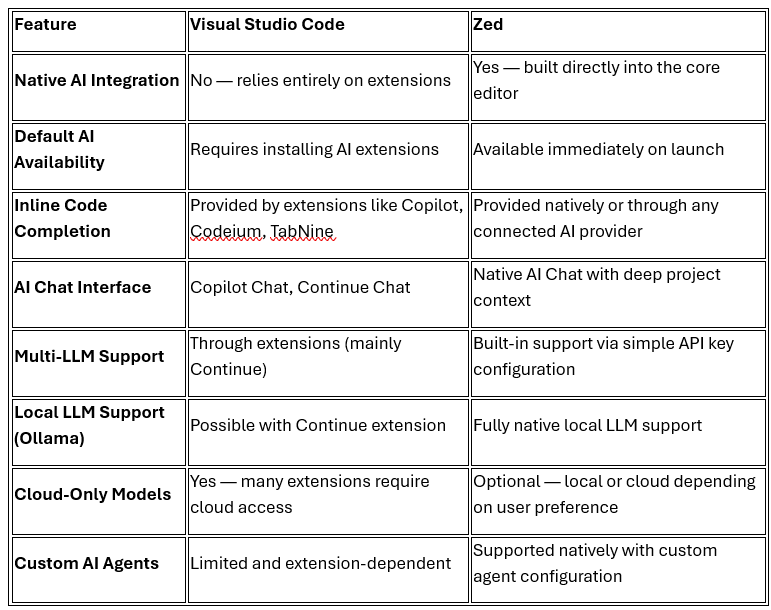
Comparison Table: AI Integration Capabilities
Real-World Workflow Comparison: AI in Action
Scenario 1: Web Developer Building a React Application
Visual Studio Code workflow:
1. Install GitHub Copilot extension (or alternative like Codeium)
2. Configure API key or account authentication
3. Receive inline suggestions while coding
4. Open Copilot Chat for detailed explanations
5. Switch between main editor and chat interface
6. Extension processes completions, sometimes introducing brief lag
Zed workflow:
1. Open settings, paste OpenAI API key
2. Immediately receive inline completions
3. Open built-in AI Chat pane
4. AI maintains context of open files automatically
5. Switch between files and chat without context loss
6. All AI features operate at native speed
Scenario 2: Machine Learning Engineer Using Local Models
Visual Studio Code workflow:
1. Install Continue or similar extension
2. Download and configure Ollama
3. Point Continue toward local Ollama instance
4. Configure model selection
5. Navigate extension settings to manage multiple options
6. Experience occasional latency from extension layer
Zed workflow:
1. Start Ollama with desired model (e.g., `ollama run mistral`)
2. Open Zed settings, select "Local" AI provider
3. Point to localhost:11434
4. Immediately start coding with full AI assistance
5. All interactions happen at native speed
6. Code remains completely private on local machine
Scenario 3: Data Scientist Debugging Complex ML Models
Visual Studio Code workflow:
1. Configure Continue with access to Claude or GPT-4
2. Paste error messages into Copilot Chat
3. Request explanations and solutions
4. Copy suggested code back into main editor
5. Navigate between multiple interface elements
6. Extension processes requests with slight delay
Zed workflow:
1. Configure Zed with Anthropic Claude API key
2. Select error code, ask AI for explanation inline
3. AI provides suggestions within context
4. Apply suggestions directly from chat interface
5. Everything remains in unified native interface
6. Faster processing due to native implementation
The Future of Code Editors: AI Integration and Modern Development
Both Visual Studio Code and Zed represent the current pinnacle of code editor evolution, yet each points toward different visions of the future.
Visual Studio Code's trajectory: focuses on extending its extension ecosystem, deepening AI capabilities through GitHub Copilot, and gradually improving performance within the Electron framework's constraints. Microsoft's substantial resources ensure VS Code remains relevant, though fundamental architectural limitations persist.
Zed's trajectory: emphasizes native-first implementation, AI-centric development workflows, collaborative features, and establishing itself as a high-performance alternative for developers prioritizing responsiveness and modern tooling.
Neither approach is objectively superior—they represent different philosophies about how developers should work. VS Code prioritizes flexibility and massive ecosystem optionality. Zed prioritizes performance, focus, and integrated capabilities.
The healthy competition between these editors benefits the entire developer community. VS Code users benefit from Zed forcing Microsoft to invest in performance improvements. Zed users benefit from VS Code's extension ecosystem innovations that Zed can learn from and adapt.
Final Verdict: Making Your Choice
Choosing between Visual Studio Code and Zed ultimately depends on your specific priorities, team environment, and development philosophy.
For established teams, enterprises, and developers deeply invested in VS Code's ecosystem, the editor remains an excellent choice. Its maturity, community support, and extension marketplace provide solutions to nearly any development challenge. The performance limitations matter less in most contexts than ecosystem advantages.
For individual developers, performance-focused engineers, and teams exploring modern tooling alternatives, Zed deserves serious consideration. The native architecture delivers genuine improvements in responsiveness, the native AI integration provides immediate intelligent assistance, and the contemporary aesthetic appeals to developers prioritizing modern development experiences.
Rather than viewing this as an either-or decision, consider both editors as complementary tools. You might use VS Code at work within team standards while exploring Zed for personal projects. Or you might transition entirely to Zed once your workflow matures enough that you don't need constant extension marketplace exploration.
The most important metric is whether the editor supports your productivity and creative flow. If VS Code provides that—and it does for millions—there's no urgency to switch. If you're curious about performance improvements and native AI integration, Zed provides a compelling alternative worth exploring.
What's your experience with these editors? Have you tried both? What factors influence your choice? Share your perspectives in the comments below—experienced developers choosing the right tools ultimately strengthens the entire community.